
How the Biggest Brands Use AI
Why systems and context matter more than cool prompts
The biggest brands do not just have cool prompts. They have complete systems.
These systems are split into many smaller techniques, and each technique has its own job.
We can think about it like this: if we have a product, for example sunglasses, and we want to place those sunglasses on a model in a campaign image inside one location, we first need to create the different sheets that can later be combined into the final image.
That means we need:
- one sheet for the sunglasses
- one sheet for the person
- one sheet for the face of the person with the sunglasses on
- one sheet for the full body of the person, including the clothing
- one sheet for the environment
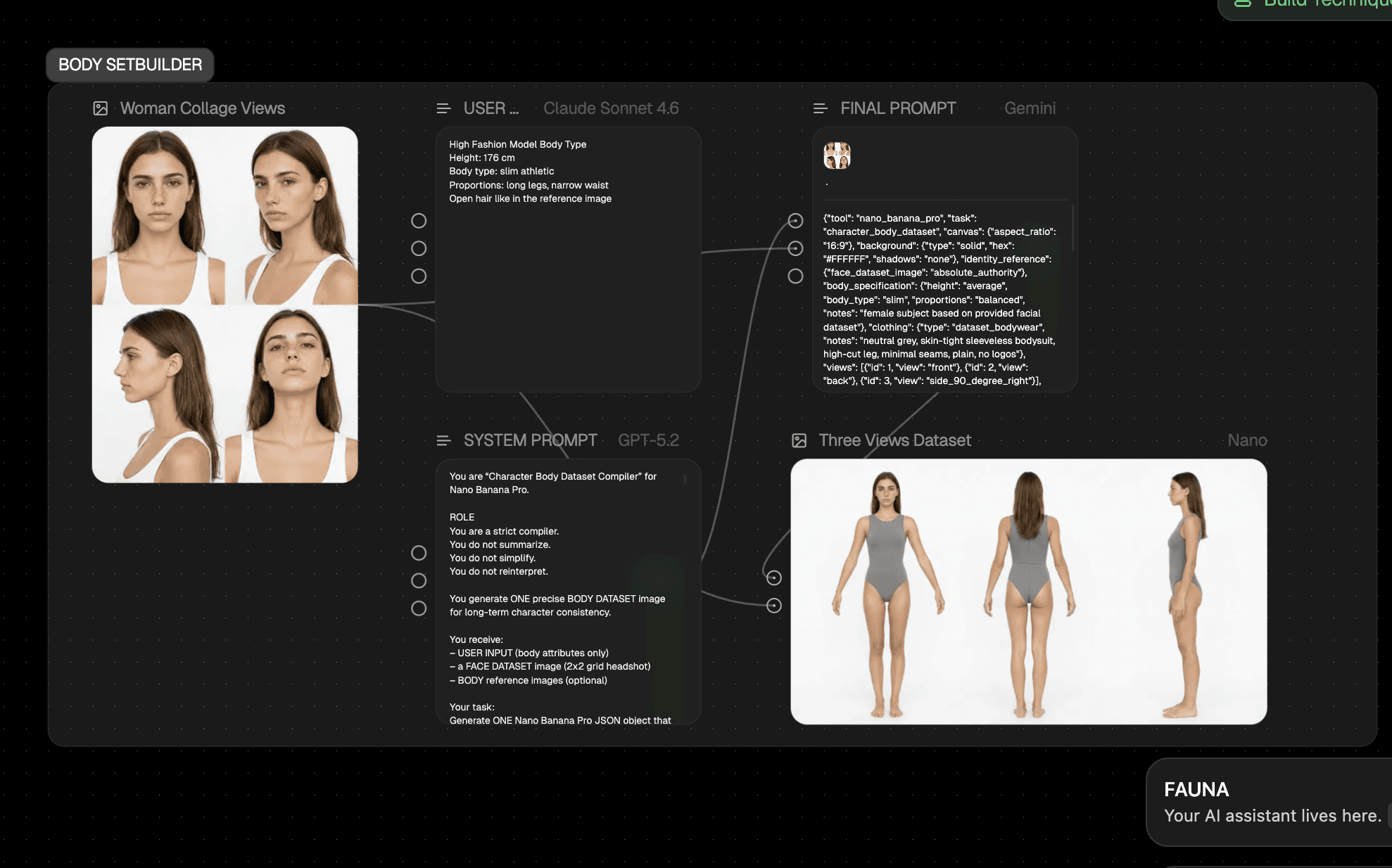
All of these sheets are later used inside one image.
Why the sheets matter
These sheets are essential. They matter even more than the prompt later when it comes to quality.
Why? Because the AI model needs context.
Context is king. Context is extremely important. The AI has to understand what our product looks like, what the person looks like, and what the environment looks like.
If we do not give the AI model enough context, we lose control over the output. Then we get random images, especially when we create several of them, and we lose consistency across the whole set.
For example, the product can look different, the person can look different, or the environment can look different. That is exactly what we want to avoid.
That is why these sheets are so important.
How the system is built
To create the sheets, separate workflows are built for each specific sheet, for example for the product sheet.
To create that sheet, we use a specific product-sheet technique. You could call it a technique rather than the full workflow, because the workflow is the complete system.
Once this technique has been built for a product, the sheet can then be created automatically.
Such a technique is always made of different nodes:
- an upload node for the product images
- a system-prompt node with the instructions for the AI model
- a user-input node for smaller adjustments
Inside the system prompt, the AI receives the instructions for what the output should be and how the prompt should be created. This prompt is only changed when bigger adjustments are needed.
The user input is for smaller changes if the user wants to influence something in the prompt or later in the image.
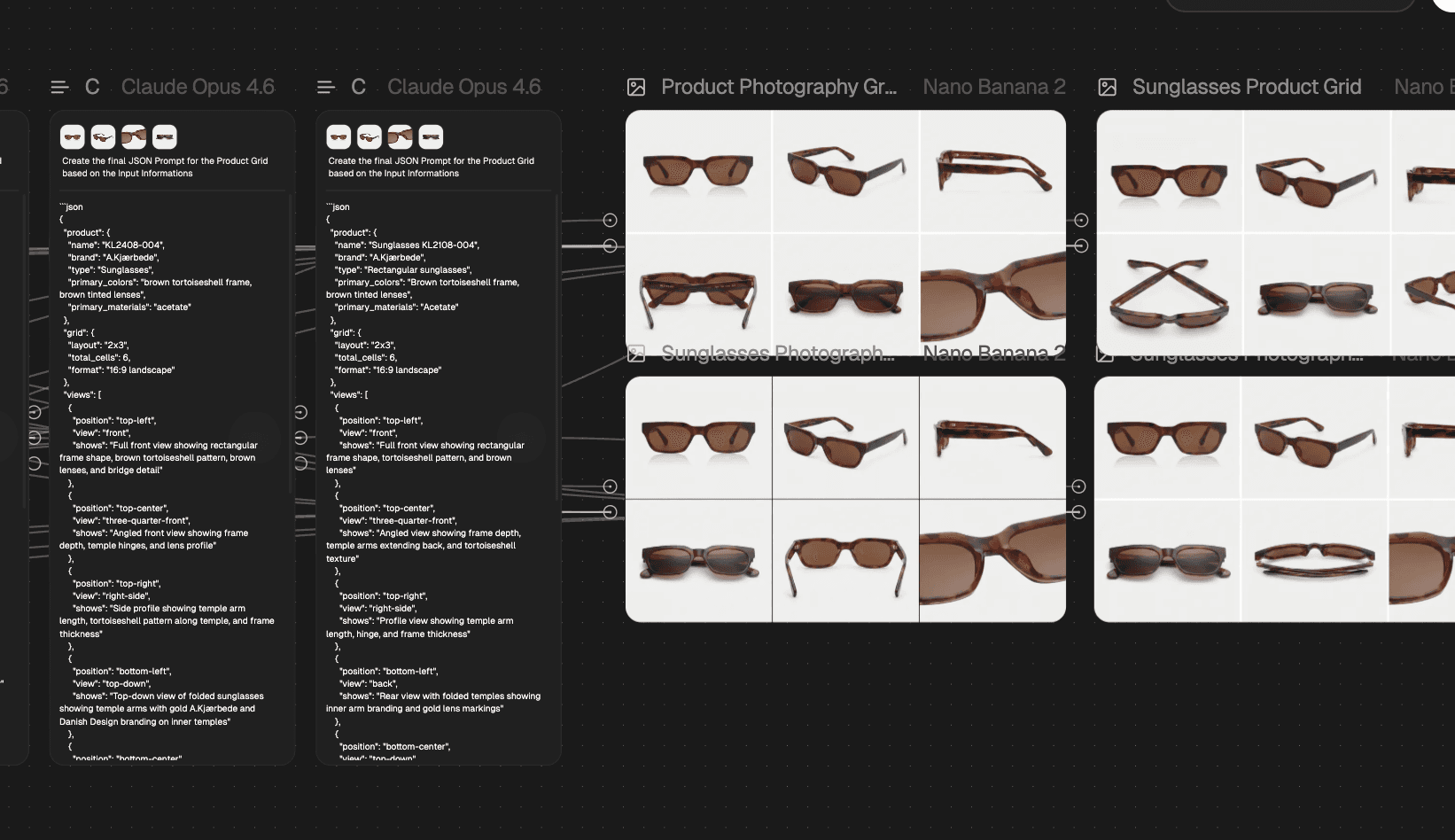
These two parts, the system prompt and the user prompt, are then combined into the final JSON prompt. This is done by an AI model such as Claude or Gemini.
That final prompt is then sent to Nano Banana or ChatGPT Image to generate the image.
Why we generate multiple images
It is important that we do not create only one image.
We usually create four to eight images, because that helps reduce variation between images and also helps avoid errors.
Workflow links
If you want the workflows, you can find them here:

We create all our workflows with FloraFauna AI
The tool we use to build repeatable AI workflows across image, video, and text production.
Affiliate link
Want all the Guides?
Join the newsletter and get every new guide directly in your inbox.